
System Options - Companies
This screen lists all the Institutions created in Ready Pay via HR > Institution, but it is possible to add new Institutions in Employee Self-Service Kiosk and these will subsequently appear in Institutions in Ready Pay.
Add a new company
- In the Navigator on the left in Employee Self-Service Kiosk go to Admin > System Options

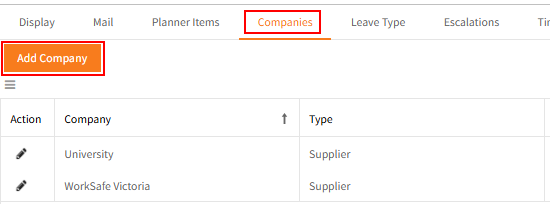
- Click on Companies > Add Company
Complete the details for the new company, then click Update.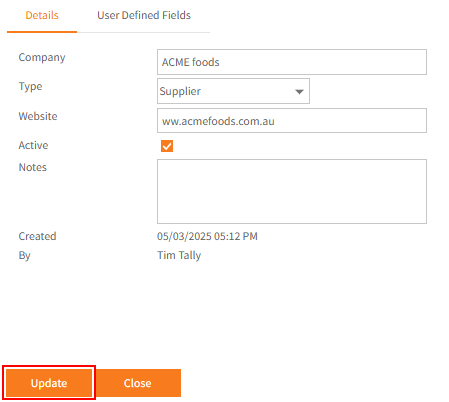
- When a Company is created in Employee Self-Service Kiosk, rather than in Ready Pay, this will show the date it was created in the Created column.

Edit an existing company
- To edit any of the companies (or Institutions) click the Actionicon
 to the left of the company name.
 - This displays a panel beneath the company list where you can update a range of information.
For example:
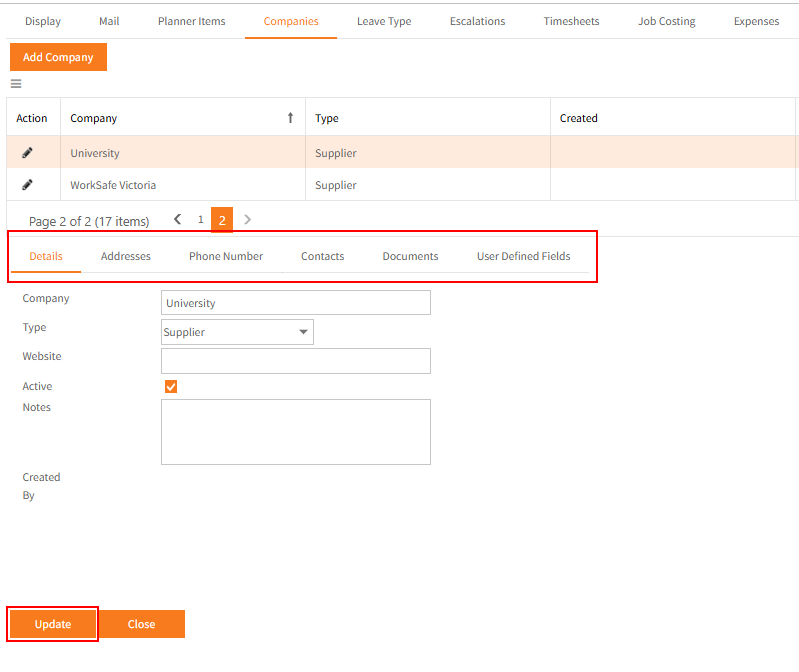
For security, this screen effectively provides users with access to the Institutions section of HR in Ready Pay, but it means that they will not automatically have access to the whole of HR.

- The columns to the right indicate how many instances of address, contacts and documents are associated with each company.
- Once you have made the required changes, click Update. These changes will be reflected automatically in Ready Pay.
Return to Admin Menu